Roles & permissions
Roles
| Role | What they see |
|---|---|
| Doctor | Everything in their clinic. Only doctors add staff and set permissions. |
| Assistant | Nothing at first. Only what a doctor turns on for them. |
Receptionists, pharmacists, lab and radiology technicians and accountants are all assistants with different permissions.
Adding a doctor or assistant
Doctors only:
- Settings → Users & Access → Permissions.
- Press + Add assistant or + Add doctor.
- Enter Username, Password and Display name, then Create assistant / Create doctor.
- Give the person their username and password to sign in at https://clinic.iq-server.com/login.
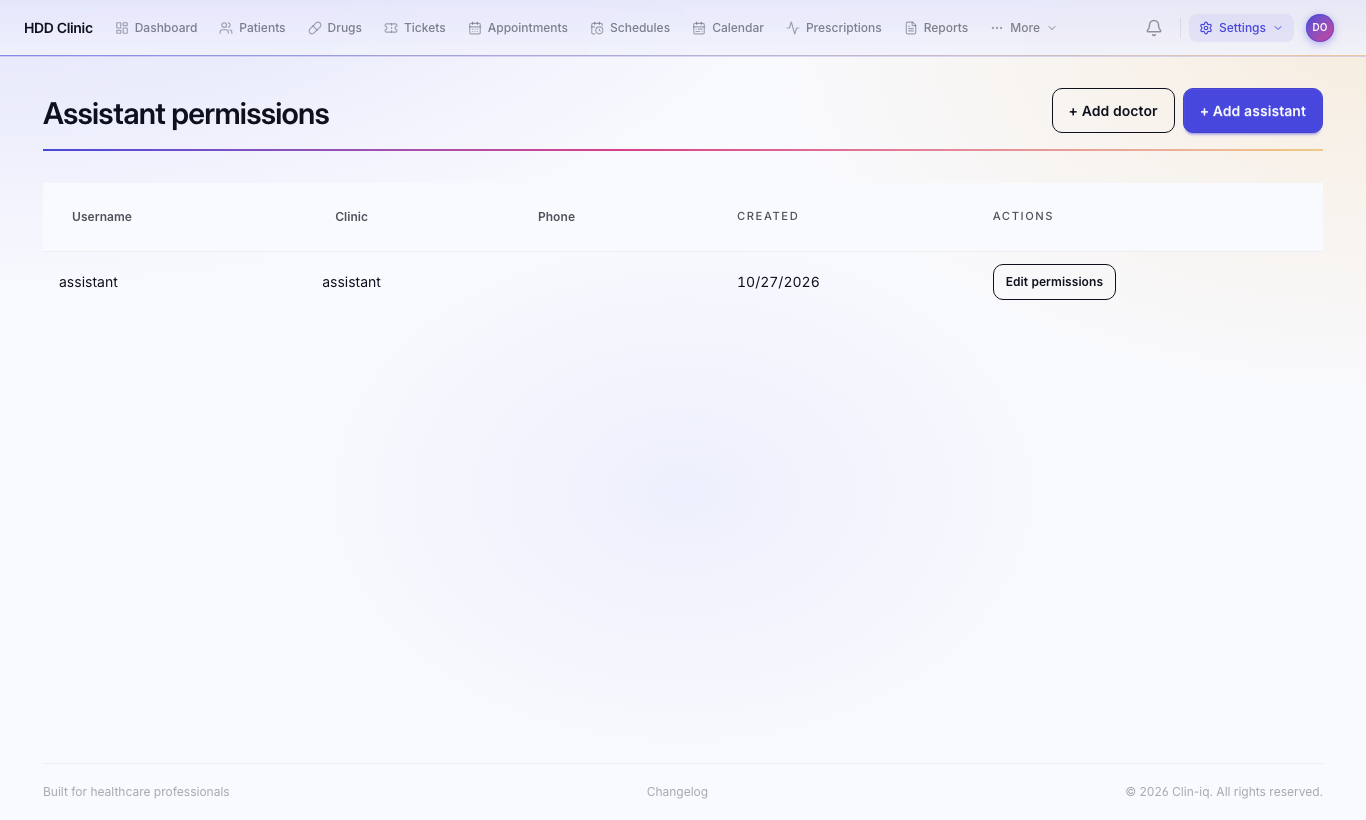
A new doctor gets full access. A new assistant has no permissions until you grant them.
Setting an assistant's permissions
- On Permissions, press Edit permissions next to the assistant.
- Turn on only what they need, then Save.
Changes take effect on the assistant's next request. They do not need to sign in again.
Suggested sets by job
| Job | Permissions |
|---|---|
| Reception | Patients – view menu, Edit patients, Tickets – view menu, Appointments – view menu, Reception – view dashboard, Reception – check in patients, Reception – manage appointments |
| Pharmacy | Pharmacy – view queue, dispense medicines, view inventory, manage inventory, view reports |
| Laboratory | Lab – view queue, claim / progress orders, upload results, view reports |
| Radiology | Radiology – view queue, claim / progress orders, upload results, view reports |
| Medical assistant | Patient file – view, edit, upload attachments; Write prescriptions (sent to the doctor to co-sign) |
| Accountant | View pricing, Billing, Expenses, View statistics |
| WhatsApp – read inbox, send messages |
Reception-only accounts
An assistant who has only reception permissions is blocked from clinical data (prescriptions, allergies, patient file, attachments). They can manage patient details, tickets and appointments only.
Access events
Settings → Access Events shows who signed in and when, and refused access attempts. Check it if you suspect an account is misused.